The 70 cm "MIKE Apron" Leather Strap is an adjustable upper support strap designed to attach to the neck of the corresponding chest apron. It's intended for professionals in restaurants, hospitality, barber shops, and artisan workshops. This replacement part is designed to renew components worn out by daily use or to keep uniforms in perfect operational condition without needing to purchase a new apron. Its direct compatibility with the MIKE Apron RagAR0029795 model ensures a correct and stable fit during daily work activities.
The length adjustment mechanism allows you to position the apron's chest at the exact height for each individual's stature, preventing postural strain on the neck during long work shifts. This anatomical adaptability facilitates the shared use of work uniforms among employees and ensures the front protection remains aligned and secure according to service demands.
Features
Item Type: Adjustable neck strap for chest apron
Model Compatibility: Designed for MIKE Apron RagAR0029795
Material: Flexible and tensile-strength leather
Total Length: 70 cm
Adjustment: Length-adjustable strap for height adaptation
Function: Replacement and upper support for professional aprons
Composition
Entirely constructed from leather, a material selected for its mechanical stability, continuous resistance to daily friction, and prolonged durability in professional settings.
Uses
Restaurants, cafes, breweries, and table service
Barista counters, specialty coffee shops, and bar mixology
Barber shops, hair salons, and tattoo studios
Hotel kitchens, bakeries, pastry shops, and food production
Artisan workshops, carpentry, and technical manual activities
The timely replacement of this leather strap ensures the technical preservation of the garment and maintains the functional ergonomics of the chest apron.
Choose the payment method that works best for you and complete your purchase easily and securely.
Secure payment options at your service.
01
Credit Card
A convenient way to pay for your order online.
Select “Credit Cards” at checkout and confirm your order.
You will also receive payment instructions by email.
02
Multibanco
Pay at a Multibanco ATM or through your online banking service.
Select “Multibanco Reference” and confirm your order. The entity number, payment reference and amount will be displayed on the next page and sent to you by email.
How to pay at a Multibanco ATM
Choose the “Payments”option.
Select “Payment of Services/Purchases”.
Enter the entity number, payment reference and specified amount.
Check the details and complete the payment.
Keep your payment receipt.
Available in Portugal. Please pay the exact amount shown in the payment details.
03
MB WAY
Pay easily using your mobile phone.
Select “MB WAY” at checkout and follow the instructions to enter the mobile number linked to the service.
Open the MB WAY app and authorise the payment within the time limit shown.
MB WAY must be active on the mobile number provided.
04
Payshop
Prefer to pay in person? Use a Payshop payment reference.
Select “PAYSHOP” and confirm your order. The payment reference will be displayed on the next page and sent to you by email.
Use this reference at a Payshop agent, CTT store or post office.
05
Bank Transfer
Pay by transferring the amount to our bank account.
Choose “Bank Transfer” at checkout. The bank details will be provided once your order has been confirmed.
After making the transfer, email your payment receipt to info@ragtailors.com, including your order number.
Payment confirmation is subject to receipt and verification of the bank transfer.
06
PayPal
Pay conveniently using your PayPal account.
Use the express checkoutbutton, when available, or select “PayPal” from the payment methods at checkout.
Follow the instructions provided by PayPal to confirm and complete your payment.
07
Google Pay
Complete your purchase using the payment details saved in your Google Pay wallet.
When available, select the “Google Pay” button at checkout and follow the instructions on your device to confirm your payment.
Availability depends on your device, browser and wallet settings.
08
Apple Pay
Pay using the cards linked to your Apple Pay wallet.
When available, select “Apple Pay” at checkout and authorise the payment on your Apple device.
Requires a compatible device and a card set up in Apple Pay.
09
Shop Pay
Fewer steps to complete your purchase.
Select “Shop Pay” to use the shipping and payment details saved in your account and complete your order faster.
Follow the instructions to confirm your details and authorise the payment.
10
Klarna
More flexibility when paying for your order.
Pay in 3 interest-free instalments, when this option is available for your purchase.
Select “Klarna” at checkout to view the payment plan and applicable terms.
Subject to eligibility, approval and Klarna's terms and conditions displayed at checkout.
Need help with your payment?
Email us at info@ragtailors.com and include your order number so we can assist you more efficiently.
The payment methods available for your order are displayed at checkout.


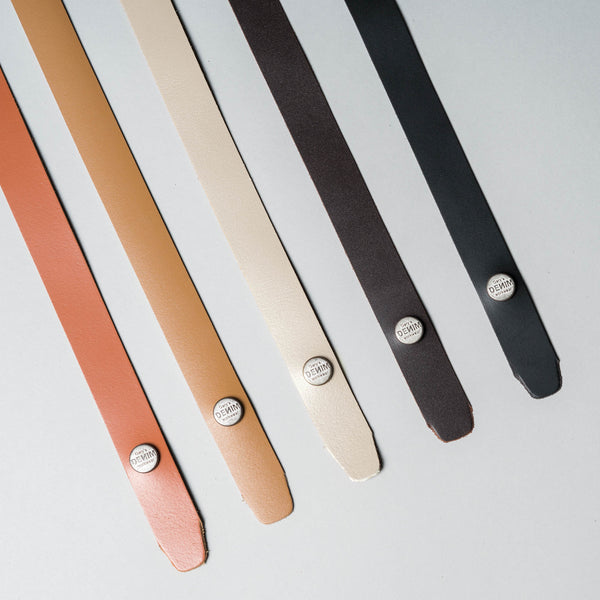
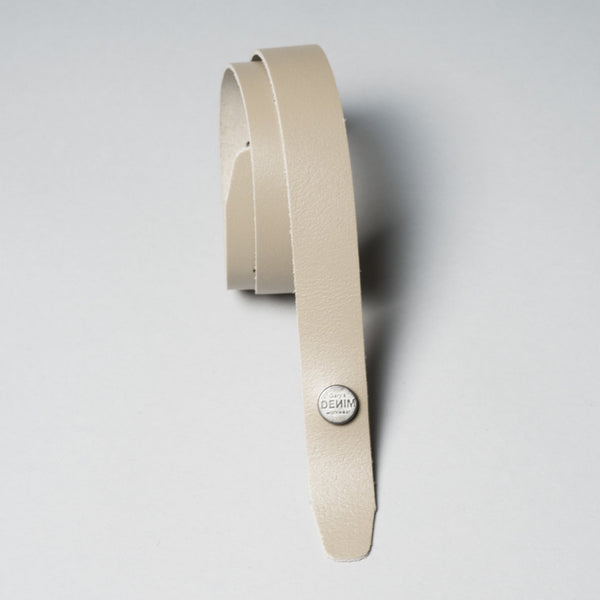
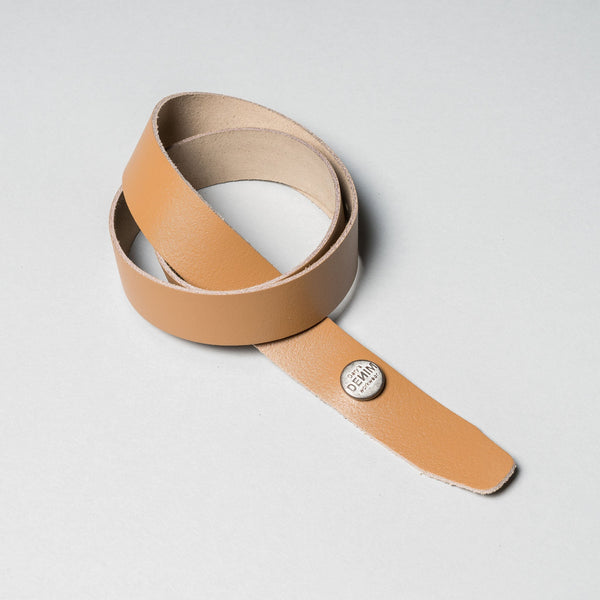
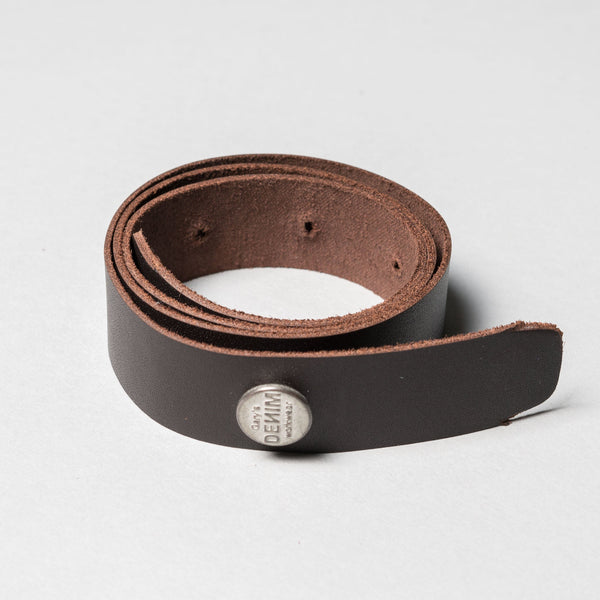
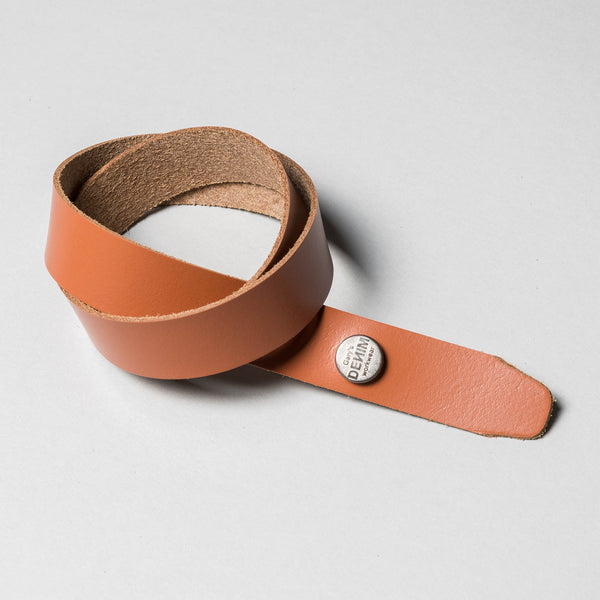
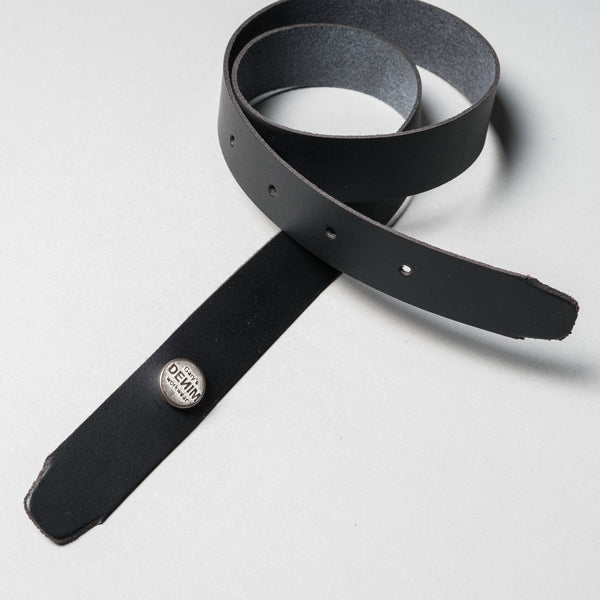
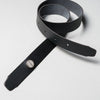


 Leather strap 70 cm " MIKE apron "
Black
Leather strap 70 cm " MIKE apron "
Black